Finder is the default file manager on every Mac. It works fine for basic tasks like opening folders and copying files. But the moment you need dual panes, remote server access, or batch operations, you hit a wall.
If you’ve been searching for a better file manager for Mac, you’re in the right place. Here are 5 Finder alternatives that go far beyond what Finder offers.
Finder hasn’t changed much in years. It handles basic file browsing, but it lacks features that power users and professionals rely on daily.
Here’s what Finder can’t do:
If any of these frustrations sound familiar, a Mac Finder replacement might save you hours every week.
Best for: Power users who juggle multiple folders and projects simultaneously
Price: $13.99 (one-time purchase)
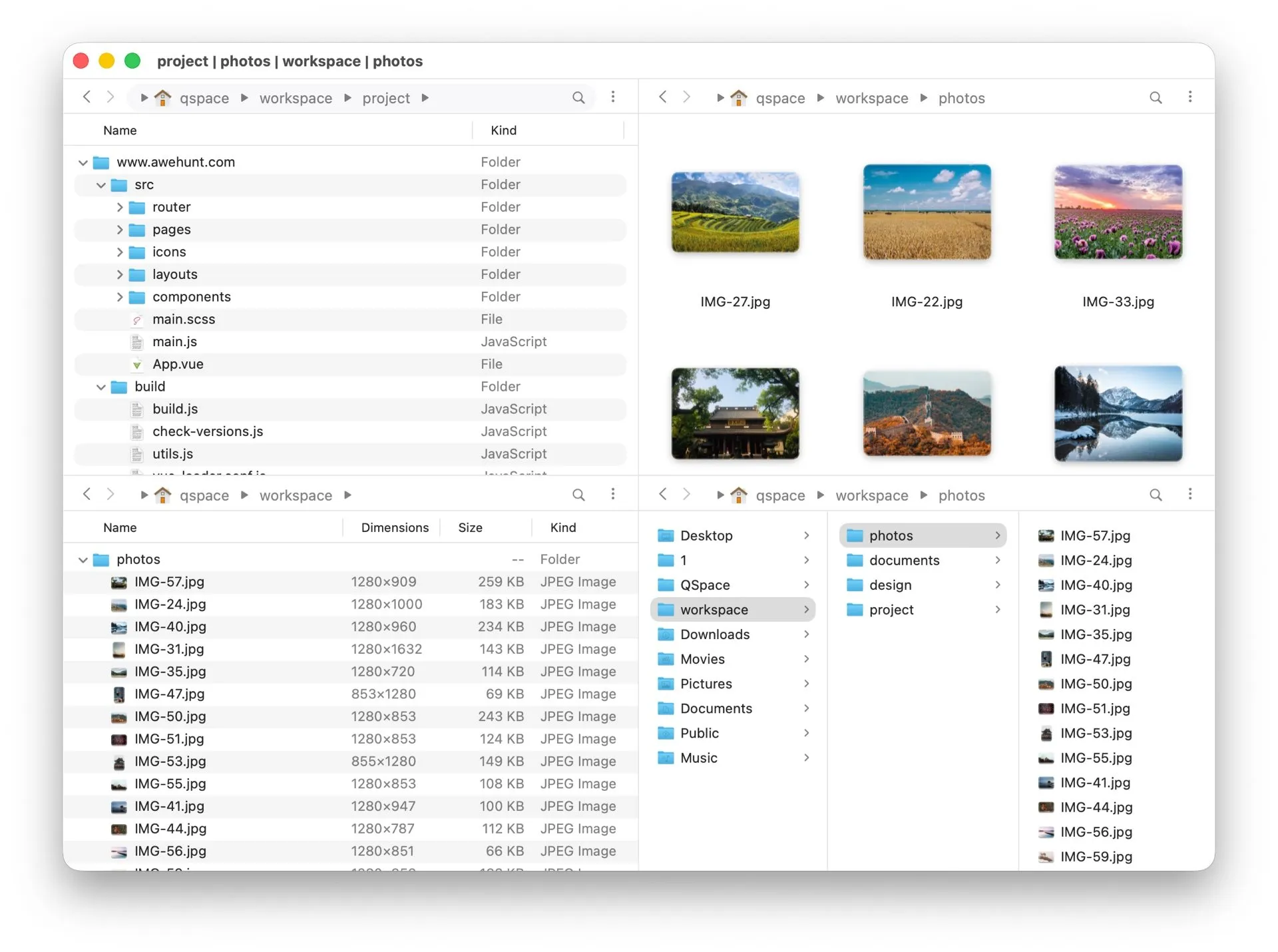
QSpace Pro is the most flexible dual pane file manager for Mac. While most file managers give you two panes, QSpace Pro offers 12 built-in layout presets with support for multiple panes in a single window. You can arrange them in grids, tabs, or custom layouts.
Developers, designers, and anyone managing multiple projects who want everything visible at once without juggling Finder windows.
Verdict: QSpace Pro is the best file manager for Mac if you need multi-pane power. The workspace system alone makes it worth the price.
Website: QSpace Pro
Best for: Users who want a capable dual-pane file manager without paying anything
Price: Free / $29.99 (Pro Pack, one-time)
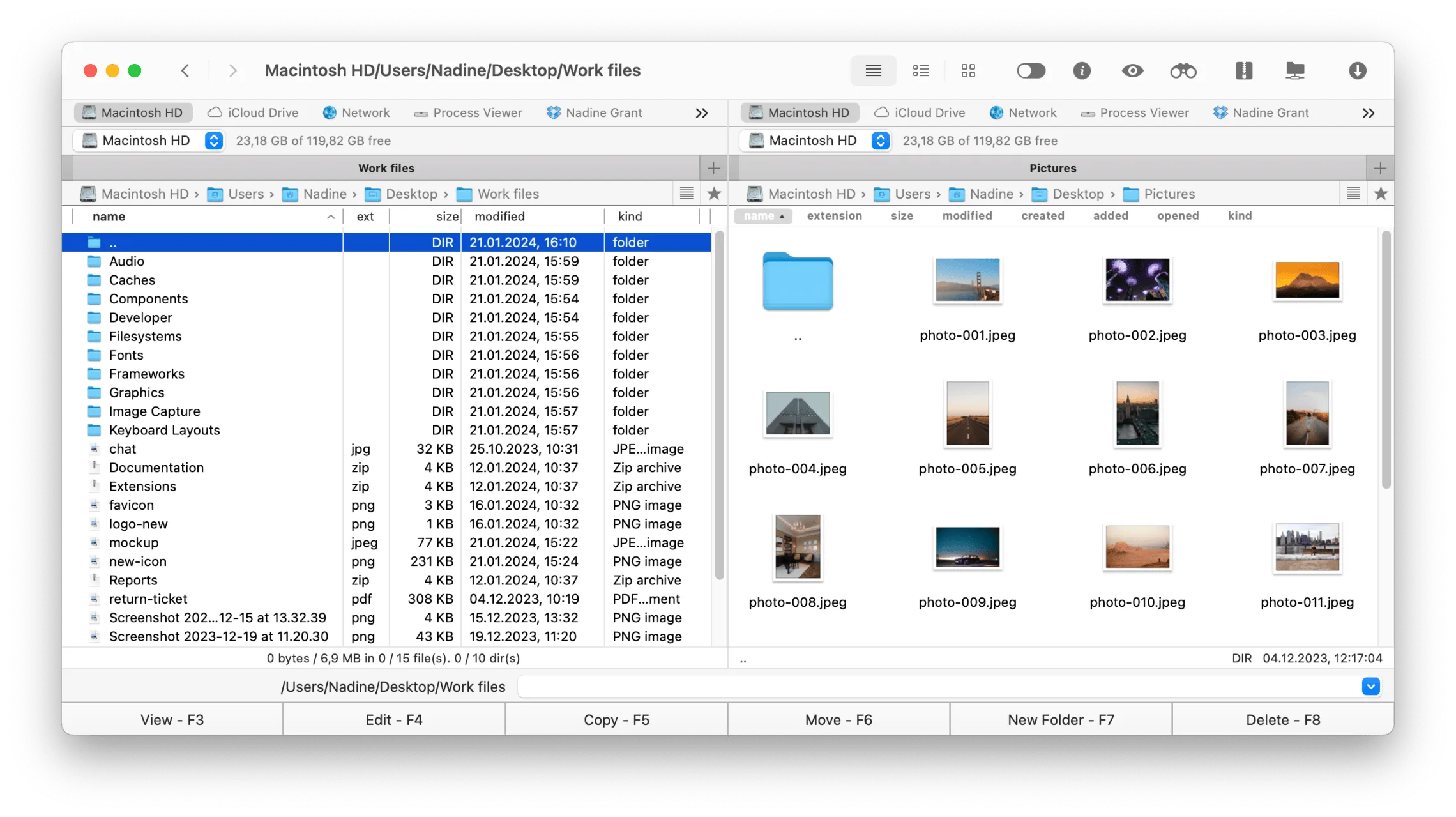
Commander One is one of the few free file managers for Mac that actually delivers. The free version includes dual-pane browsing, unlimited tabs, theme support, and ZIP archive support, so basic compression and extraction are available without extra tools. The Pro upgrade adds a built-in terminal, cloud mounting, expanded archive handling, and one of its strongest paid features — a full FTP/SFTP client for managing files on remote servers directly from the dual-pane interface.
Users who want a capable free dual-pane Finder alternative, plus developers, admins, and power users who may later need a stronger FTP/SFTP and cloud file management setup through the Pro Pack.
Verdict: Commander One is the best free Finder alternative. The dual-pane layout with a built-in terminal is more than most free tools offer.
Website: commander-one.com
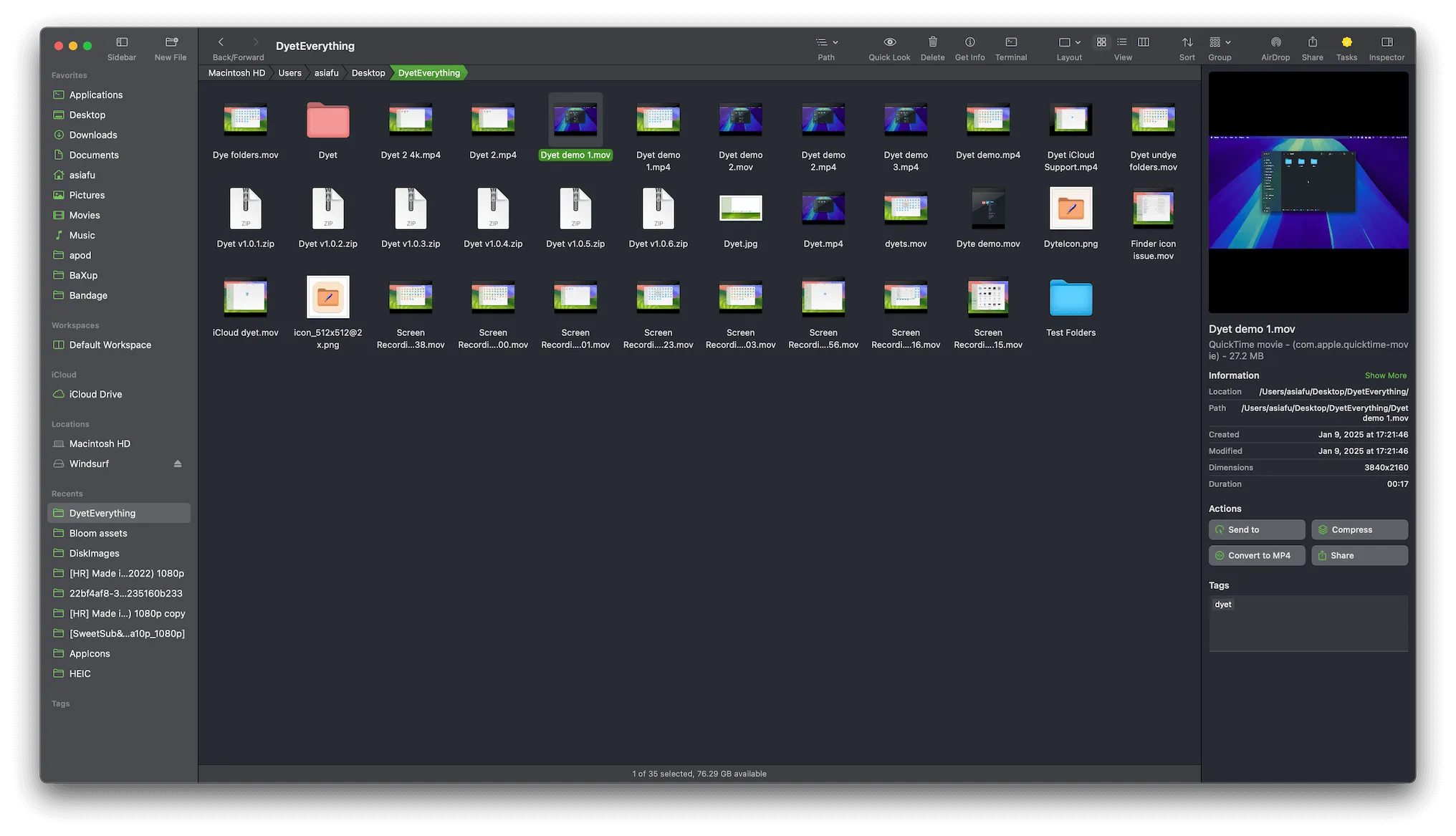
Best for: Users who want a polished, modern file manager that feels native to macOS
Price: $16 (one-time purchase)
Bloom is what Finder should have been. It keeps the familiar macOS look and feel but adds the features Apple left out: multi-pane layouts, saved workspaces, and a clever “portal window” for quick file access.
Users who like Finder’s simplicity but want dual panes, workspaces, and better organization. Bloom doesn’t try to reinvent the wheel. It just makes it better.
Verdict: Bloom strikes the best balance between simplicity and power. If you want a Finder replacement that doesn’t require a learning curve, this is it.
Website: Bloom
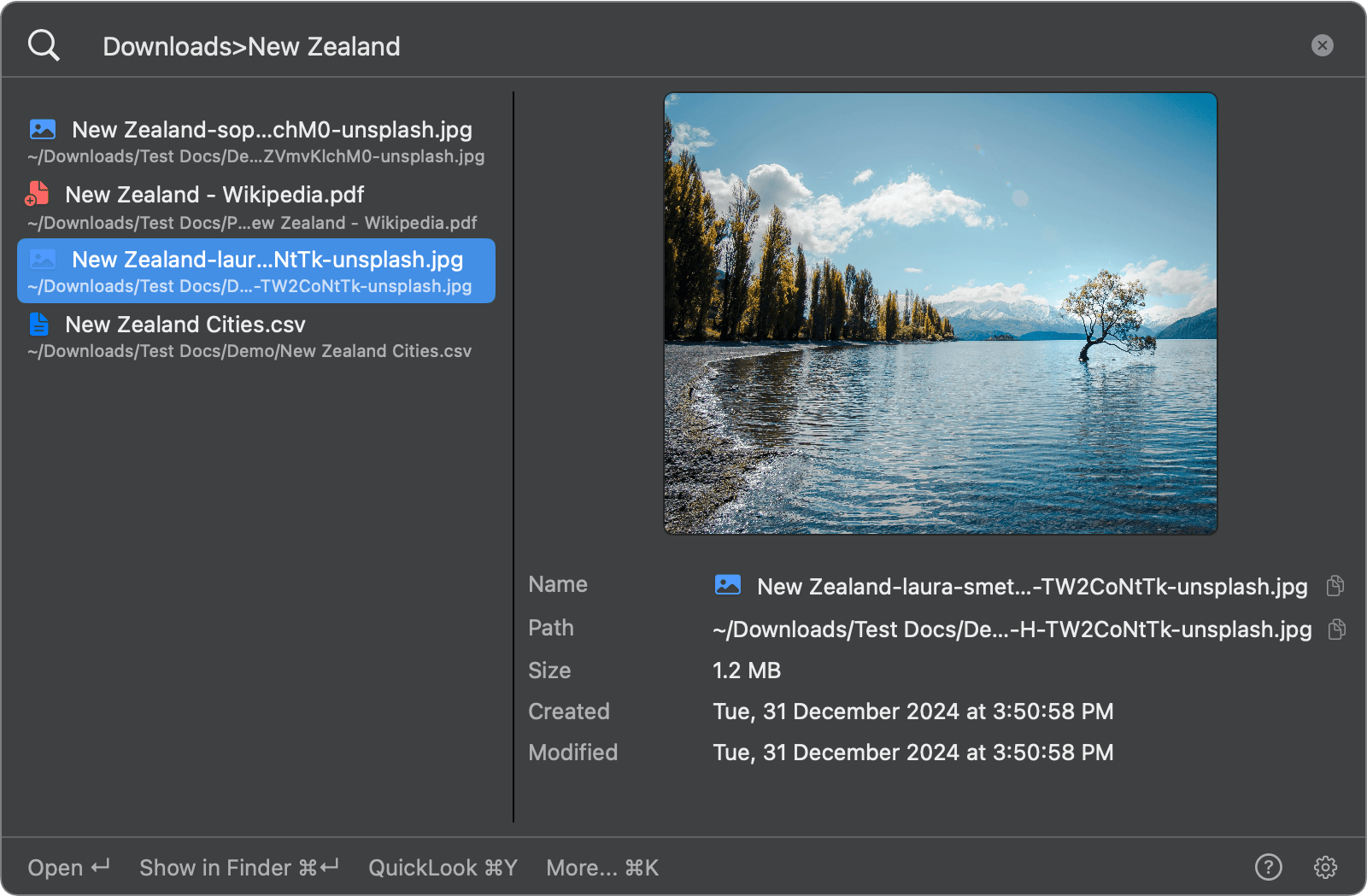
If your biggest frustration with Finder is finding files, you don't need a full replacement. FileMinutes lets you search inside specific folders, filter by file type, and browse your folders with arrow keys.
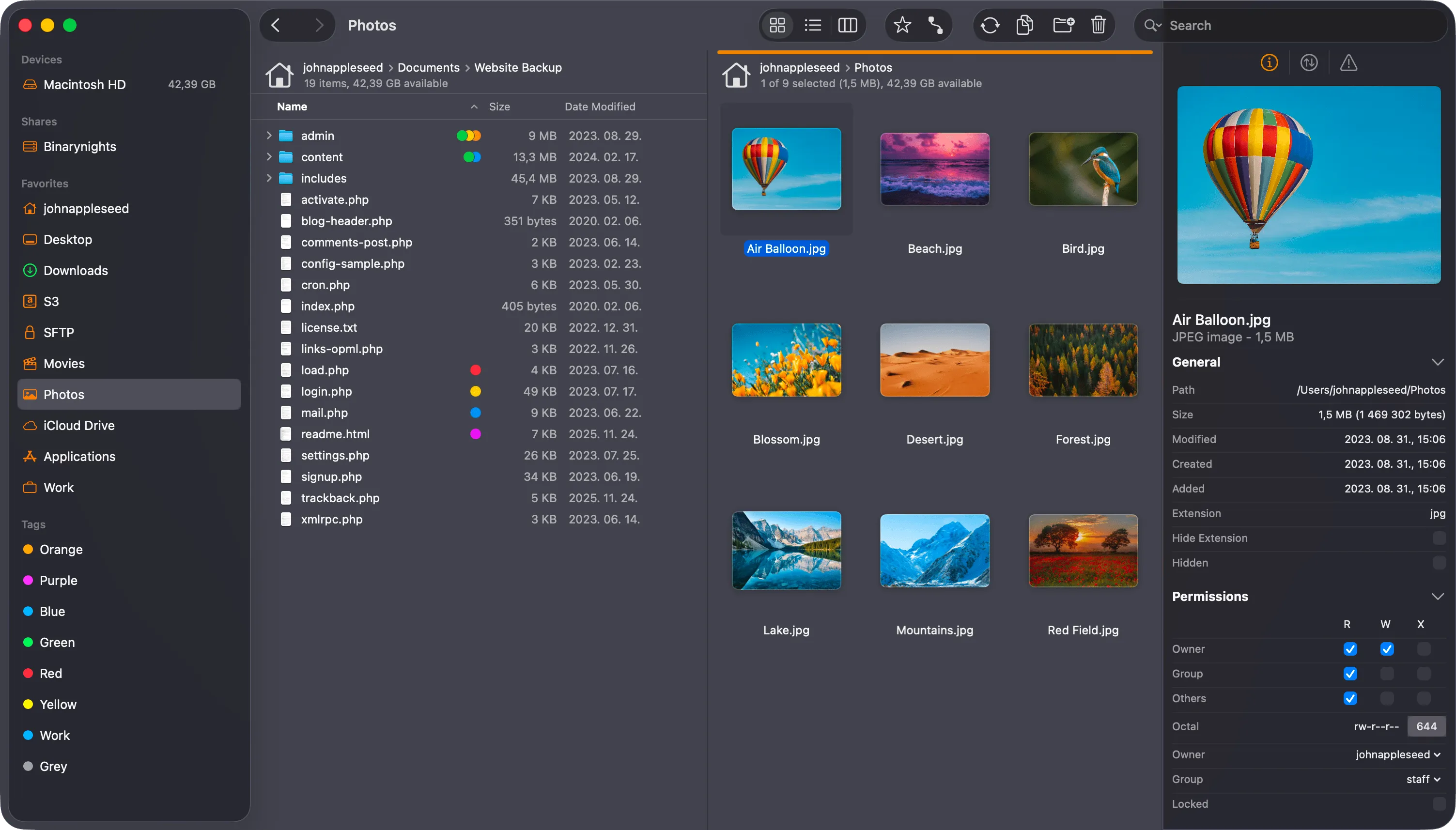
Best for: Developers and sysadmins who regularly transfer files to remote servers
Price: $19.95 (one-time purchase)
ForkLift started as an FTP client and evolved into a full file manager. Its remote file handling is best-in-class. If you work with SFTP, FTP, Amazon S3, or cloud storage daily, ForkLift is the tool to get.
Web developers, sysadmins, and anyone who regularly uploads files to servers or syncs folders between machines.
Verdict: For remote file management, nothing beats ForkLift on macOS. The folder sync feature alone is worth the price if you manage remote servers.
Website: binarynights.com
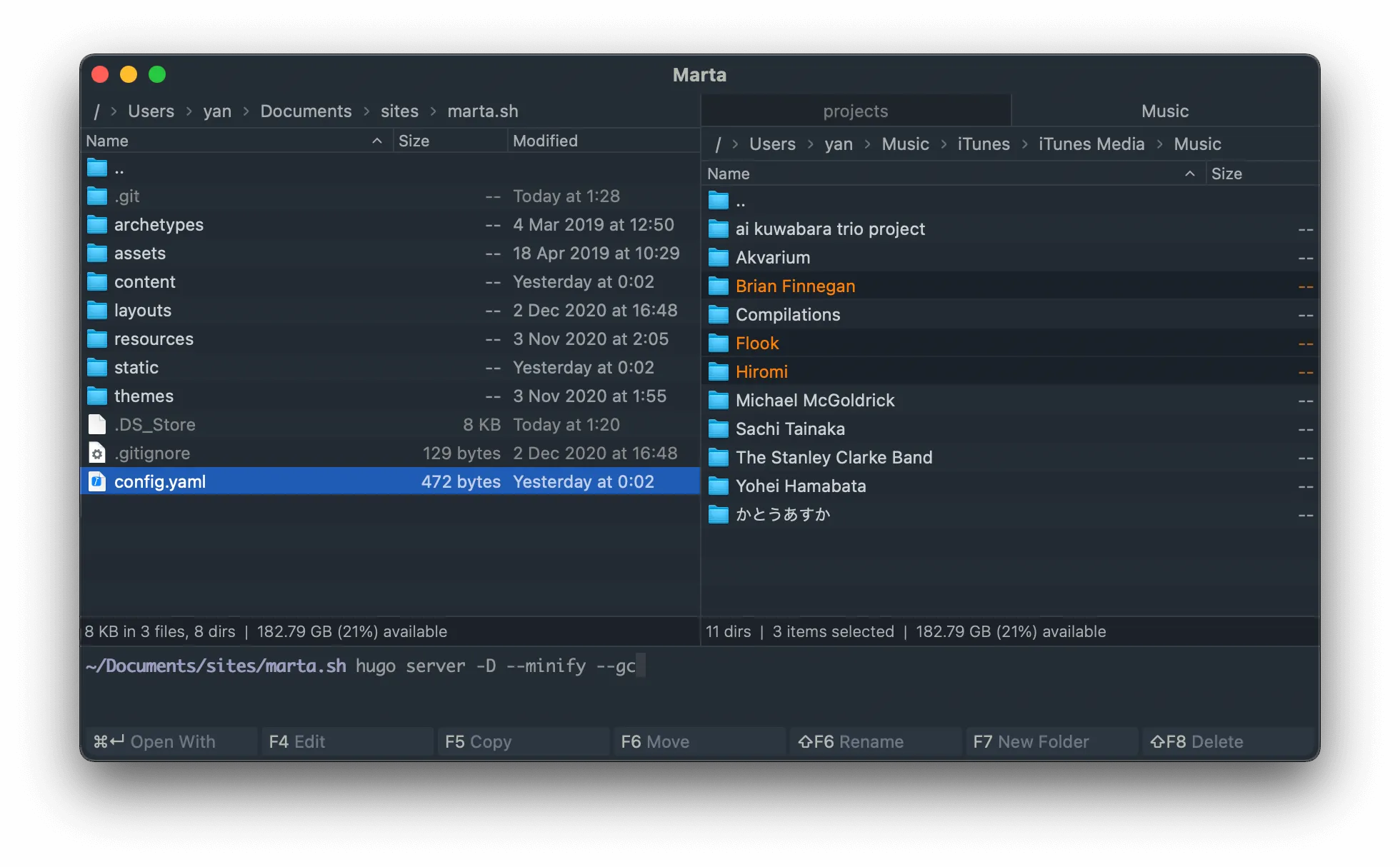
Best for: Power users and developers who prefer the keyboard over the mouse
Price: Free
Marta is a free, native file manager built in Swift. It’s incredibly fast and designed entirely around keyboard navigation. If you’re the type of person who lives in the terminal and wants a file manager that keeps up, Marta is your app.
Developers and terminal power users who want a fast, keyboard-centric dual pane file manager for Mac that stays out of the way.
Verdict: Marta is the best free keyboard-driven file manager on macOS. If speed and keyboard control matter more than polish, Marta delivers.
Website: marta.sh
| Feature | QSpace Pro | Commander One | Bloom | ForkLift 4 | Marta | FileMinutes |
|---|---|---|---|---|---|---|
| Price | $13.99 | Free / $29.99 | $16 | $19.95 | Free | Free / Paid |
| Dual/Multi-Pane | 12 layout presets | Dual pane | Multi-pane | Dual pane | Dual pane | N/A (search tool) |
| Remote/FTP | FTP, SFTP, WebDAV | SFTP/FTP, Google Drive, S3 (Pro) | No | SFTP, FTP, S3, WebDAV | No | No |
| Free Version | No | Yes | Trial only | Trial only | Yes (fully free) | Yes |
| Built-in Terminal | No | Yes (Pro) | No | No | No | No |
| Batch Rename | Yes | Yes | Yes | Yes | No | No |
| Best For | Multi-project power users | Free dual-pane browsing | Modern Finder upgrade | Remote file transfers | Keyboard power users | Fast file search |
Not sure which app to pick? Here’s a quick guide based on your workflow:
You manage multiple projects at once? Go with QSpace Pro. Its multi-pane layouts and workspace system are unmatched.
You want something free and capable? Start with Commander One. The free tier gives you dual panes, unlimited tabs, themes, and ZIP support.
You want Finder but better? Choose Bloom. It keeps the macOS look and feel while adding the features Finder is missing.
You work with remote servers? Pick ForkLift 4. Its SFTP/FTP support and folder sync make remote file management painless.
You’re a keyboard-first power user? Try Marta. It’s free, fast, and built for people who hate touching the mouse.
You just need better search? Get FileMinutes. It works alongside any file manager and finds files in seconds.
Not entirely. macOS requires Finder to run in the background for core system functions like mounting drives and managing the desktop. But you can set some file managers (like ForkLift) as your default file browser, so they open instead of Finder when you click folders. For daily file management, a third-party app can handle nearly everything.
Commander One is the best free option with a generous free tier (dual panes, unlimited tabs, themes, ZIP support) and an optional Pro upgrade that adds a built-in terminal, cloud mounting, and FTP/SFTP. Marta is also completely free and better suited for keyboard-driven workflows. Both are solid choices depending on your preference.
Finder is Apple’s equivalent of Windows Explorer, but it’s more limited. It lacks features like dual-pane view, built-in terminal, and tabbed browsing across panes that Explorer (and third-party Mac file managers) offer. The apps in this list bring those capabilities to macOS.
Finder gets the basics done, but it hasn’t evolved to match how people work today. Whether you need multi-pane layouts, remote server access, or just faster file search, there’s a tool on this list that fits.
Try the free options first. Commander One and Marta cost nothing. If you find yourself needing more, QSpace Pro, Bloom, and ForkLift are all one-time purchases with no subscriptions.
And if your real problem is just finding files, give FileMinutes a try. It works alongside any file manager and helps you get to the right file in seconds.