You hit Cmd+Space, type a file name, and Spotlight shows you everything except the file you need. Web results, dictionary definitions, calculator answers. But not the PDF you saved yesterday.
If you’ve been there, you’re not alone. Spotlight is great for quick app launches. But when it comes to serious file searching (filtering by type, searching inside specific folders, or finding files on external drives) it falls short.
The good news? Several file search apps for macOS do the job way better than Spotlight. In this guide, we’ll cover the 6 best options in 2026.
For most people, the best file search app for Mac is the one that matches how they work:
If you only want one answer for day-to-day work, pick FileMinutes. If you need maximum filtering depth, pick HoudahSpot.
Instead of only comparing feature lists, we tested each app across common workflows:
.pdf, .docx, .png)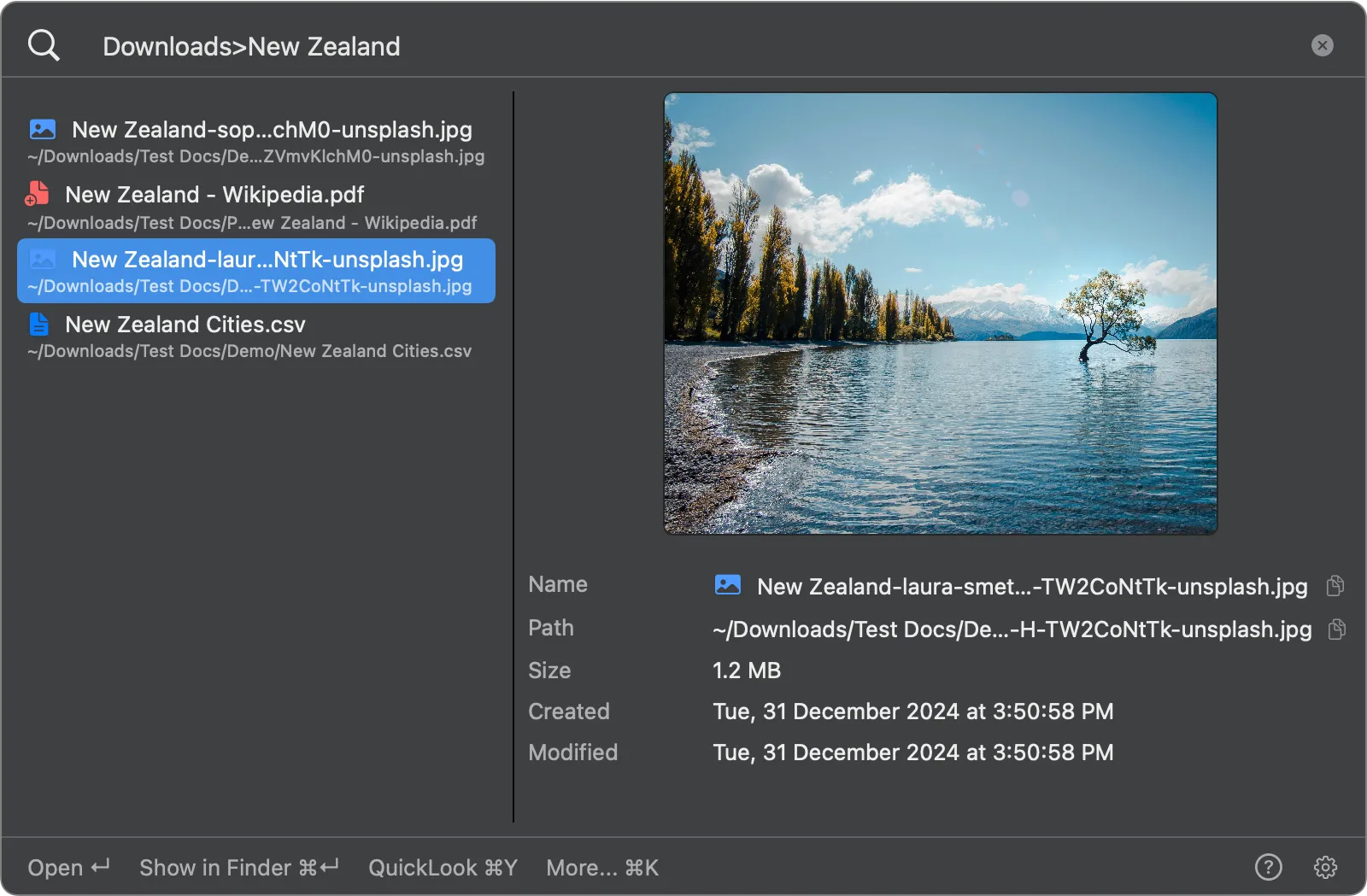
FileMinutes is a macOS-native file search app built specifically for finding files fast. Unlike launchers that do a dozen things, FileMinutes focuses on one thing: helping you get to the right file in seconds.
~/Downloads>invoice to search only in Downloads. No need to dig through your whole system.pdf, .image, or .document to filter by type instantly~/Projects>report .pdf finds PDFs with “report” in Projects. budget finds only folders matching “budget”2025>invoice .pdf .xlsx finds invoices in any folder matching “2025”Free version available with core features. Paid version unlocks folder-scoped search, global filters, and unlimited favorites.
Anyone who searches for files daily and wants a fast, keyboard-driven workflow without complex filter UIs.
Website: fileminutes.com
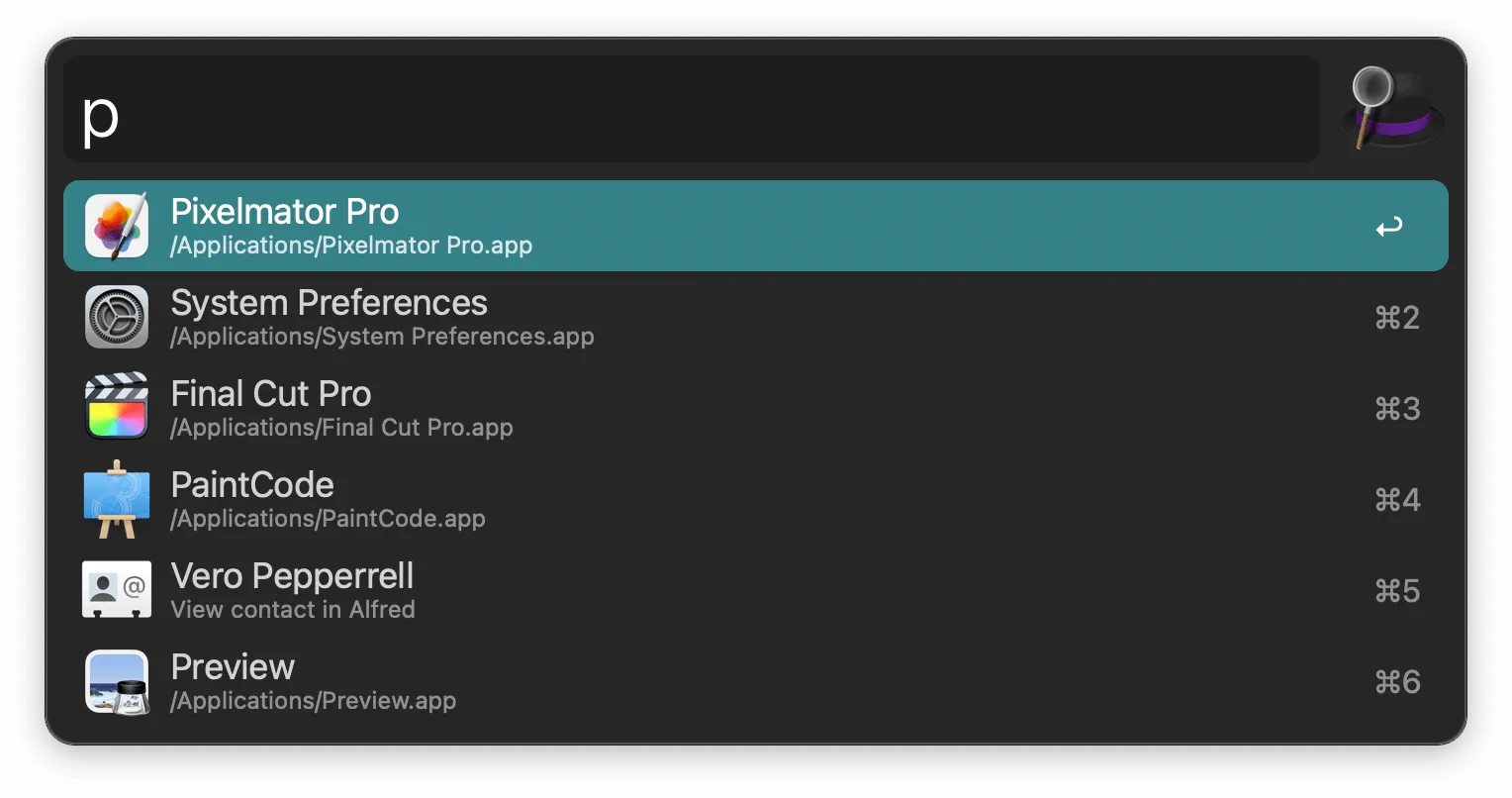
Alfred is a productivity launcher for macOS with powerful file search built in. While it does much more than file search (clipboard history, snippets, workflows), its file finding capabilities are top-notch.
open and find keywordsFree basic version. Paid Powerpack required for advanced file actions, workflows, and clipboard features.
Users who want one app for launching apps, searching files, managing clipboard, and running automations.
Website: alfredapp.com
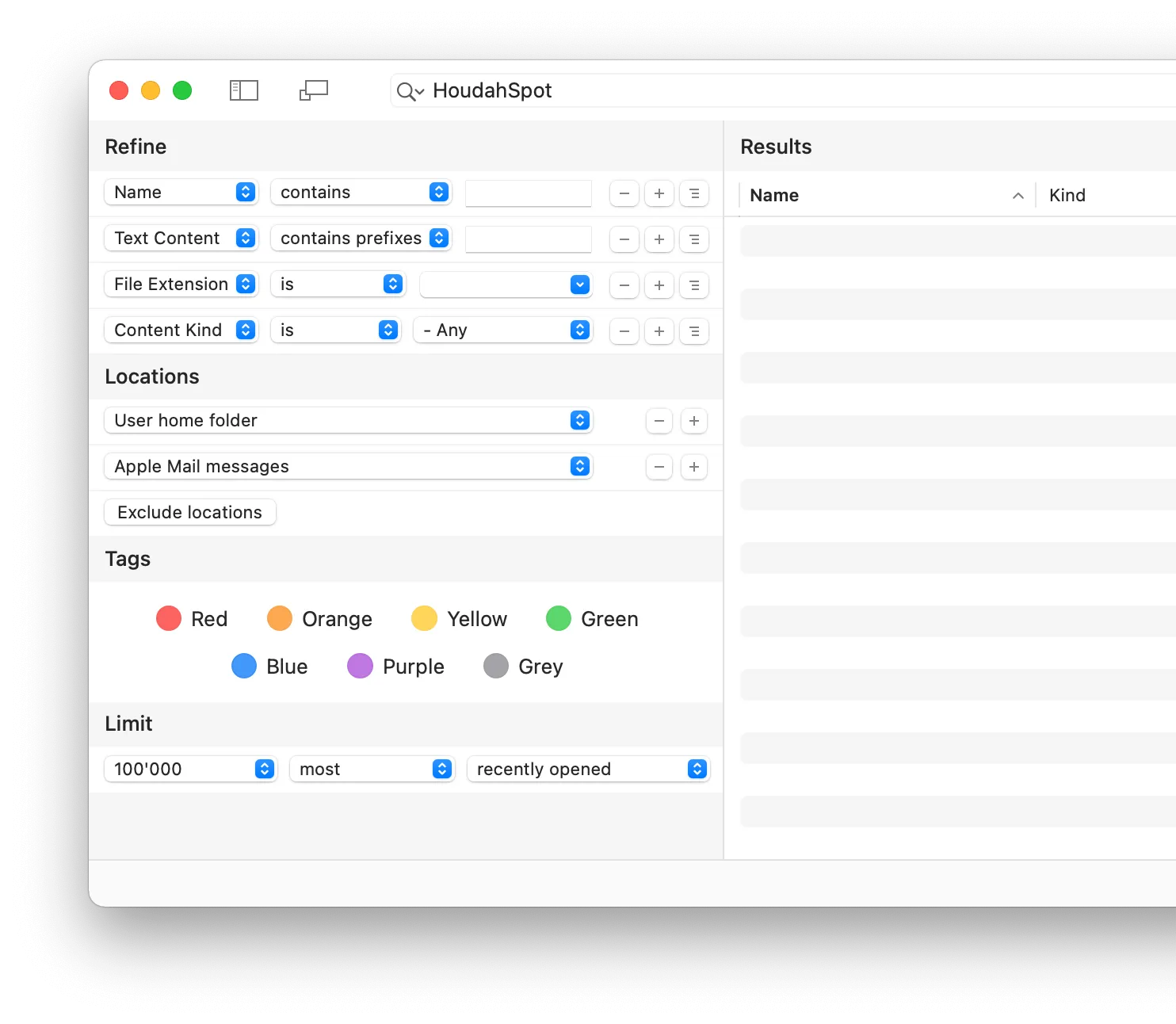
HoudahSpot is the most powerful file search app on macOS. It gives you a visual query builder where you can combine dozens of search criteria with Boolean operators. If you’re a lawyer digging through thousands of case files or a researcher managing a massive document library, this is your tool.
Paid. One-time purchase.
Power users, researchers, lawyers, and professionals with large document collections who need precise, repeatable searches with multiple criteria.
Website: houdah.com/houdahSpot
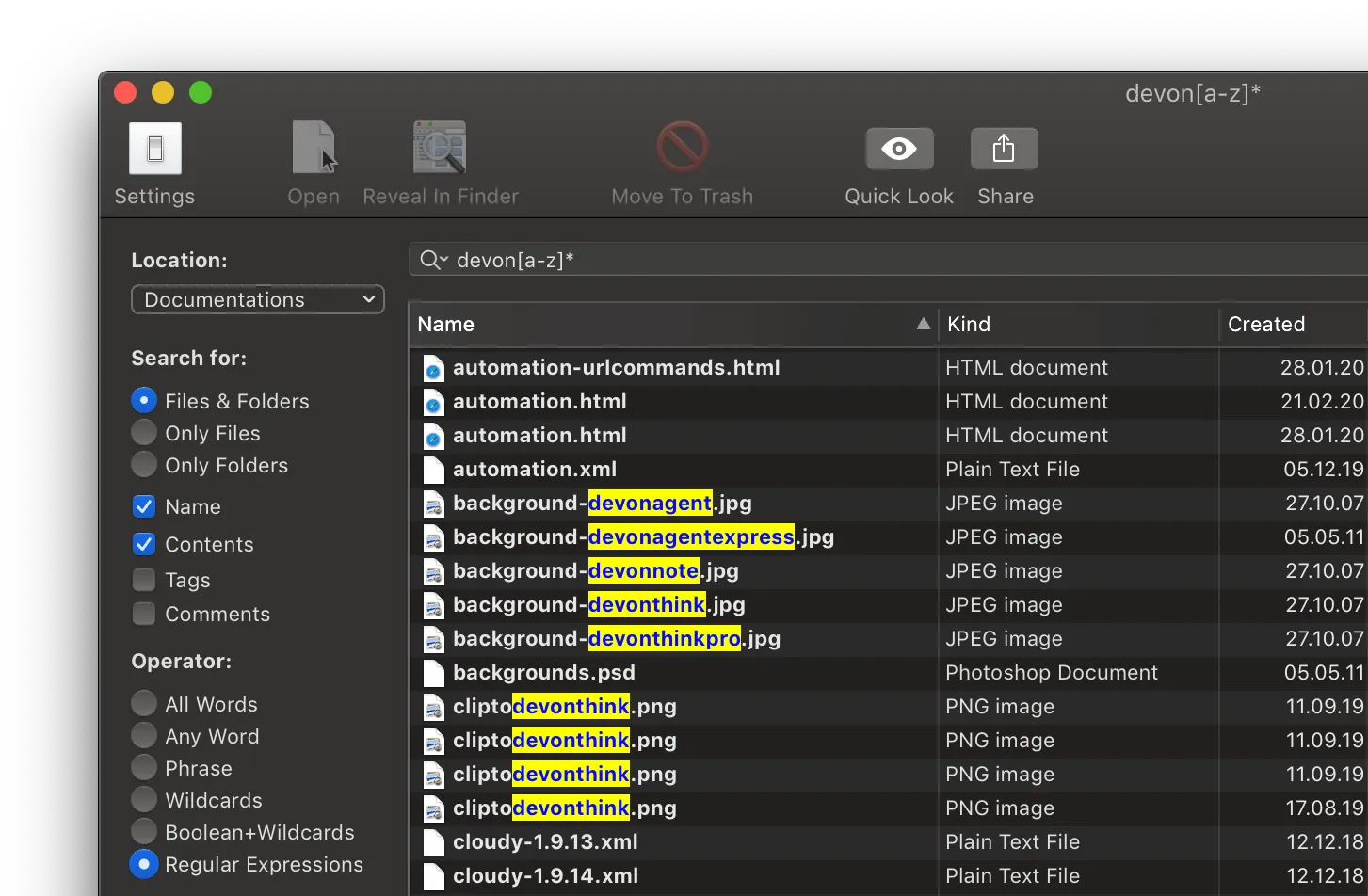
EasyFind takes a completely different approach. Instead of using Spotlight’s index, it searches the file system directly using brute force. This means it’s slower, but it finds files in places Spotlight never looks: inside app packages, system folders, and network drives.
Free. Made by DEVONtechnologies, the team behind DEVONthink.
Users who need to find files Spotlight misses (hidden files, files inside app packages, files on network drives) and don’t want to pay for it.
Website: devontechnologies.com/apps/freeware
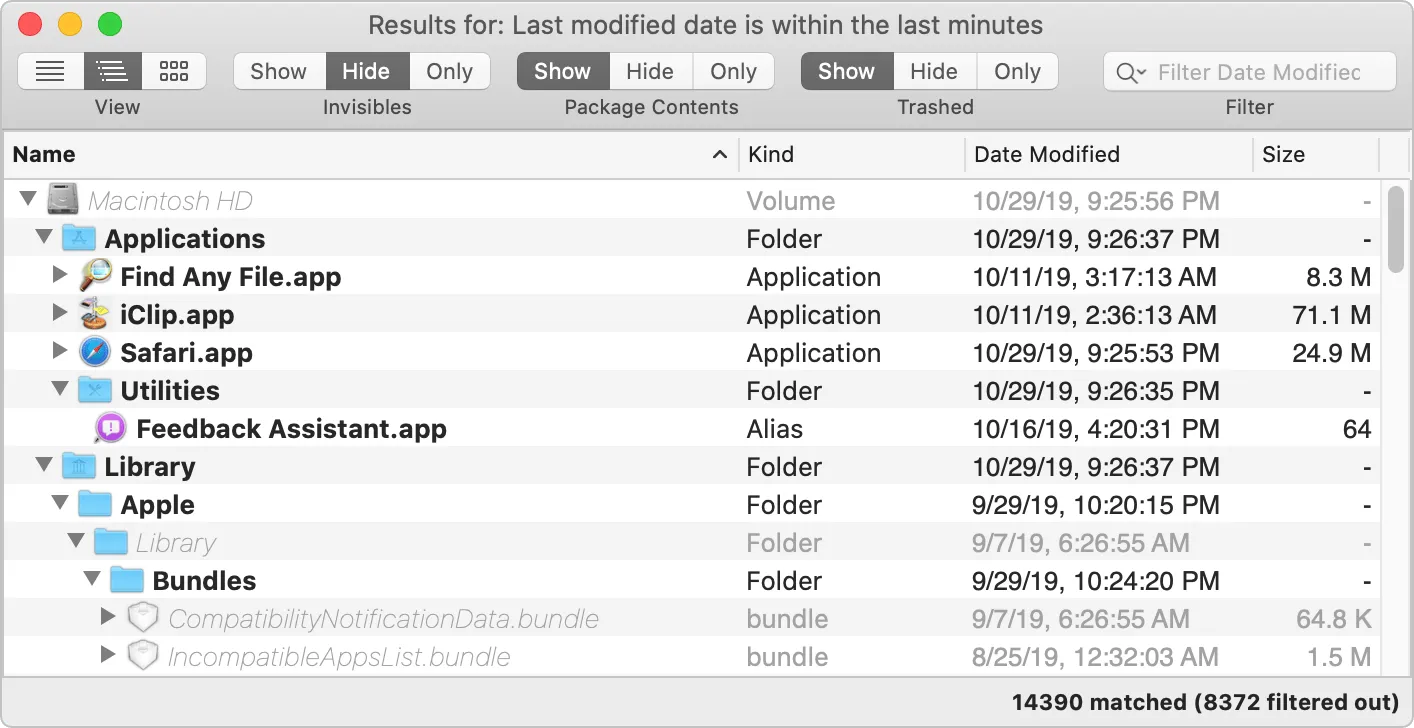
Find Any File (FAF) lives up to its name. It doesn’t rely on Spotlight’s index, which means it will never miss a file, even if Spotlight hasn’t indexed it yet. The tradeoff? It’s slower than index-based tools. But when you absolutely need to find something and Spotlight comes up empty, FAF delivers.
Paid. Small one-time purchase.
Users who need guaranteed results. Sysadmins, developers, and anyone who works with system files, configuration files, or files on network volumes where Spotlight doesn’t reach.
Website: findanyfile.app
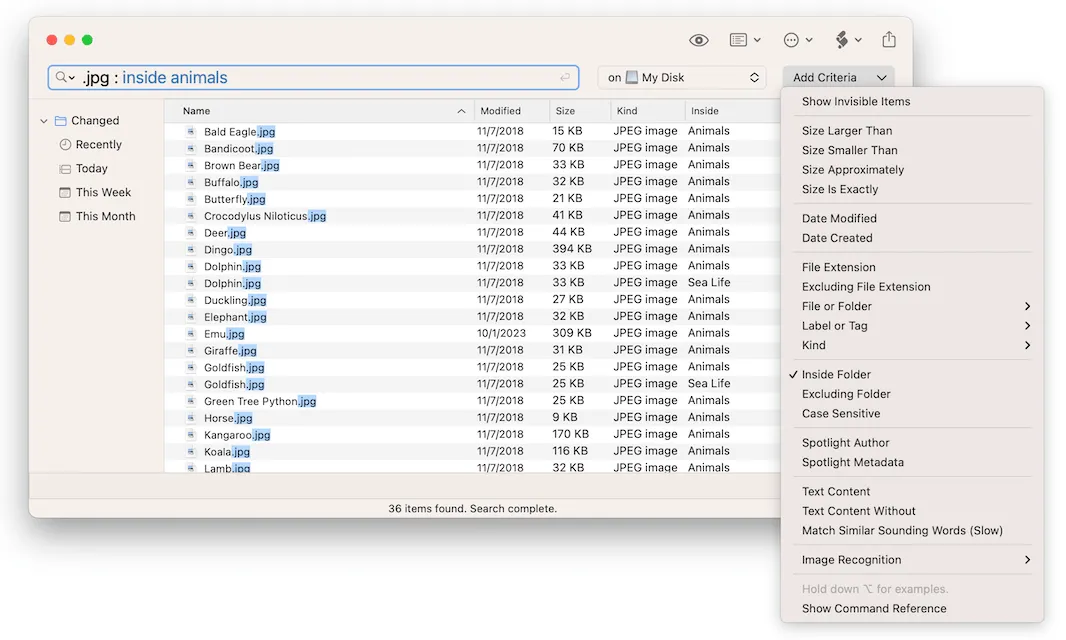
ProFind brings a unique feature to the table: AI-powered image search. On macOS 12 and later, you can search for images by describing what’s in them, like “photo of a dog” or “sunset at the beach.” Combined with natural language queries and custom indexing, it’s the most forward-thinking search tool on this list.
Paid. Small one-time purchase.
Users who work with large photo libraries and want AI-powered search, or Windows switchers who loved the Everything search tool and want something similar on Mac.
Website: zeroonetwenty.com/profind
| Feature | FileMinutes | Alfred | HoudahSpot | EasyFind | Find Any File | ProFind |
|---|---|---|---|---|---|---|
| Price | Free + Paid | Free + Paid | Paid | Free | Paid | Paid |
| Search Style | Simple syntax | Simple syntax | Visual filters | Simple UI | Visual filters | Natural language |
| Uses Spotlight Index | Yes | Yes | Yes | No | No | Custom index |
| Content Search | Yes | Yes | Yes | Limited | No | Yes |
| Hidden/System Files | No | No | No | Yes | Yes | Yes |
| Network Drives | With indexing | With indexing | With indexing | Yes | Yes | Yes |
| AI Features | No | No | No | No | No | Image search |
| Keyboard-First | Yes | Yes | No | No | No | No |
| Saved Searches | Favorites | Workflows | Templates | No | Favorites | No |
| macOS Native | Yes | Yes | Yes | Yes | Yes | Yes |
If you search for files multiple times a day and want results in seconds, pick an app with simple search syntax. FileMinutes is ideal if file search is your main need. Its folder-scoped syntax and content search make everyday searching effortless. Alfred is better if you also want app launching, clipboard management, and automation in one tool.
If you need to search by multiple criteria (files modified last week, larger than 10MB, with a specific tag), use an app with visual filter controls. HoudahSpot is the most powerful option. Find Any File is a simpler, more affordable alternative.
If Spotlight can’t find what you need (hidden files, system files, files on network drives), choose an app that doesn’t depend on Spotlight’s index. Find Any File guarantees it will find every file because it searches the file system directly. EasyFind does the same thing for free.
If you want to search images by describing their content, ProFind is your only option on macOS. Its AI-powered image recognition works surprisingly well on macOS 12 and later.
If you need file management (dual panes, remote access, batch operations) rather than only search, compare Finder alternatives for Mac.
For most users, FileMinutes is the best balance of speed and simplicity. For advanced multi-criteria searches, HoudahSpot is stronger. For deep, index-free searching, use Find Any File or EasyFind.
Yes. EasyFind is fully free and does not rely on Spotlight indexing. Alfred also has a free tier, while advanced capabilities are unlocked in Powerpack.
All tools in this list can work on external drives. Spotlight-based apps need indexing enabled first. EasyFind and Find Any File can search external drives without Spotlight indexing.
Spotlight relies on an index that sometimes misses files, especially on external drives, network volumes, or in system folders. If a file isn’t indexed, Spotlight won’t show it. Apps like Find Any File and EasyFind bypass this limitation by searching the file system directly.
Not necessarily. Spotlight works fine for basic searches and app launching. But if you regularly struggle to find files, a dedicated search app can save you hours of frustration.
Apps that use Spotlight’s index (FileMinutes, Alfred, HoudahSpot) return results almost instantly. Apps that search the file system directly (Find Any File, EasyFind) are slower but more thorough.
Some can. FileMinutes searches inside 12+ file types including PDF, DOCX, and XLSX. HoudahSpot and ProFind also support content search. Find Any File searches file names and metadata only.
All of them do. Spotlight-based apps require the drive to be indexed first. Non-Spotlight apps (Find Any File, EasyFind) work immediately on any connected volume.
The best file search app depends on how you search. For most Mac users, FileMinutes offers the fastest path from “I need that file” to actually opening it. Its simple syntax, content search, and keyboard-first design make everyday file finding effortless.
If you want more than just file search, Alfred bundles it with powerful productivity features. For complex, multi-criteria searches, HoudahSpot is unmatched. And if Spotlight keeps failing you, Find Any File guarantees results by searching the file system directly.
Whatever you choose, any of these apps will make finding files on your Mac dramatically faster than relying on Spotlight alone.
Looking for a fast, keyboard-driven file search experience? Try FileMinutes free and see the difference.